




By Adil Ahmad, Business Setup Consultant at Gulf Corporate Services Last updated
Summary
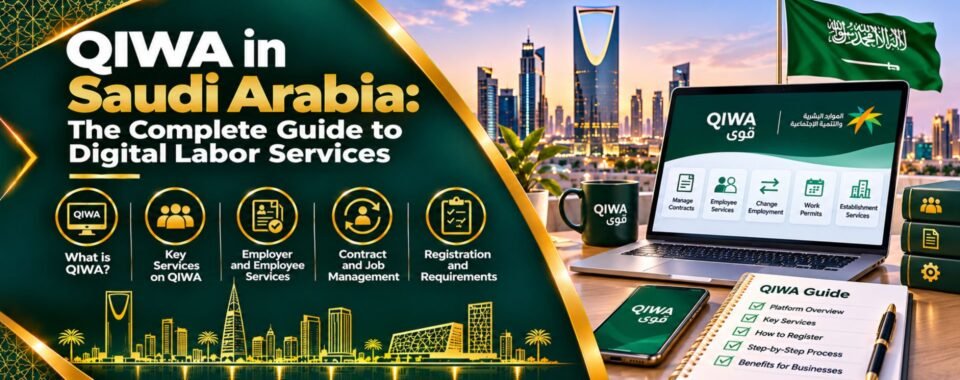
Qiwa is the Saudi Ministry of Human Resources and Social Development (MHRSD) platform for labor services. Employees use it to log in, check and accept contracts and transfer jobs, while employers manage work permits, Saudization and visas. This guide explains Qiwa login in English at sso.qiwa.sa, login with Nafath and Absher, registration, contracts, job transfers, fees, 2026 updates and FAQs.
What Is Qiwa in Saudi Arabia?
Qiwa is the official digital labor platform of the Ministry of Human Resources and Social Development. It brings most private-sector employment services into one place, for both workers and companies.
- For employees: view and accept employment contracts, check work permit status, request job transfers and see your employment record
- For employers: register the establishment, issue and renew work permits, authenticate contracts, manage Saudization (Nitaqat) and request visas
- For HR teams and PROs: handle bulk transactions and keep the company compliant with the labor law
Qiwa works alongside Absher (Interior Ministry services), Muqeem (residency for companies), GOSI (social insurance) and Mudad (Wage Protection System). If you are starting a company in the Kingdom, Qiwa is one of the first portals you will use after your commercial registration.
Qiwa Login: How to Sign In at sso.qiwa.sa in English
Most people simply want to log in. Here is the quickest way:
- Open sso.qiwa.sa, the official Qiwa sign-in page.
- Click EN at the top to switch to English.
- Enter your National ID, Iqama number or e-mail.
- Enter your password and click Log in.
- Approve the request in the Nafath app, or enter the OTP sent to your registered mobile.
- Choose your account type: individual or business.
You can also click Log in with Nafath and skip the password. Always check the address bar shows qiwa.sa before you enter any details, because fake login pages do exist.
Qiwa Login with Absher and Nafath: What Changed
Many people still search for “Qiwa login with Absher”. In the past, Qiwa used your Absher details directly. Today, identity checks run through Nafath, Saudi Arabia’s national single sign-on, which is built on your Absher account.
What you need for Nafath login to work:
- An active Absher account
- The Nafath app installed on your phone
- A Saudi mobile number registered to your Iqama or National ID
If Nafath fails, the cause is almost always an inactive Absher account or a mobile number that is not linked to your Iqama. Fix those first, then try again.
Qiwa Registration: How to Create an Individual Account
If you are new to Qiwa, register once:
- Go to sso.qiwa.sa and click Register now.
- Enter your National ID or Iqama number and date of birth.
- Verify your identity through Nafath.
- Add your e-mail and create a password.
- Confirm the OTP and accept the terms.
- Log in and open your individual account to see your contracts and work details.
Registration is free for individuals. Your employer’s details appear automatically once your work permit and contract are on the system.
Qiwa Business Account: Register Your Establishment
Business owners and authorized managers need a Qiwa business account to manage staff:
- A valid Commercial Registration (CR) linked to the establishment’s unified number
- The owner, partner or authorized manager logs in through Nafath
- The establishment is linked to the CR, then you choose a Qiwa subscription for business services
- Your Absher business balance must cover fees, since many permit and visa transactions draw on it
If you are still forming your company, see our guides to business setup in Saudi Arabia, the business license in Saudi Arabia and company registration costs in Saudi Arabia.
Key Qiwa Services for Employees and Employers
| Service | Who uses it | What it does |
|---|---|---|
| Employment contracts | Both | Create, authenticate and accept digital contracts |
| Work permits | Employer | Issue and renew permits for non-Saudi staff |
| Service transfer | Both | Move an expat worker to a new employer |
| Nitaqat dashboard | Employer | Track Saudization band and hiring capacity |
| Visa requests | Employer | Request work visas, depending on Nitaqat band |
| Certificates | Employer | Saudization and wage protection certificates |
| Employee record | Employee | View job title, employer and permit status |
Qiwa Contract: How to Check and Accept Your Employment Contract
Contract authentication on Qiwa is mandatory for private-sector employees, both Saudi and expatriate. Without an authenticated contract, an employer cannot correctly issue or renew a work permit.
How to check your contract online:
- Log in to Qiwa as an individual.
- Open Employment Contracts.
- Review salary, job title, allowances, start date and duration.
- Click Accept if everything is correct, or Reject and ask HR to correct it.
Consultant tip: never accept a contract that shows a different salary from your offer letter. The Qiwa contract is the record that counts in a labor dispute.
Qiwa Job Transfer Rules: Service Transfer in Saudi Arabia
Since the Labor Reform Initiative of March 2021, sponsorship transfers run as “service transfers” on Qiwa. The usual flow:
- The new employer sends a digital job offer through Qiwa.
- The employee accepts it in their individual account, usually within 10 days.
- The current employer is notified and has about 14 days to respond, where consent is required.
- Qiwa completes the transfer and updates the records.
You can usually transfer without your employer’s consent if:
- Your contract has expired
- You have completed 12 months and give the required notice, often 90 days
- Your salary has not been paid for three months in a row
- Your contract was never registered on Qiwa
- Your work permit or Iqama expired because of the employer
The first transfer fee is commonly SAR 2,000, paid by the new employer. Read our guide to Saudi labor laws for expatriates for notice periods and end-of-service rights.
Qiwa Fees: Work Permit, Expat Levy and Transfer Costs
These are approximate 2026 figures and can change:
| Fee | Approximate amount (SAR) | Paid by |
|---|---|---|
| Work permit fee | About 100 per worker per year | Employer |
| Expat levy (expats outnumber Saudis) | About 800 per worker per month | Employer |
| Expat levy (expats do not outnumber Saudis) | Lower monthly rate | Employer |
| First service transfer | About 2,000 | New employer |
| Qiwa business subscription | Based on establishment size | Employer |
Under Saudi labor law, work permit costs are the employer’s responsibility. Permits can usually be paid for 3, 6, 9 or 12 months.
Nitaqat and Saudization on Qiwa: 2026 Updates
Qiwa shows each company’s Nitaqat band, from Platinum and Green down to Red. The band decides whether you can get new visas, renew permits and accept transfers.
Key changes in 2026:
- Authenticated contracts only: from April 2026, only Saudi employees with authenticated Qiwa contracts count toward Saudization, with companies expected to document 85% and then 90% of Saudi contracts
- Premium Residency holders: from June 2026, they need a dedicated work permit through Qiwa, at SAR 100, according to KPMG. See our Saudi Premium Residency guide
- Expired permits: non-Saudi employees left without a valid work permit for too long can have their Qiwa registration cancelled
Qiwa Checklist for New Companies in Saudi Arabia
If you have just received your commercial registration, follow this order to avoid delays:
- Activate the establishment’s Absher business account and add balance.
- Register the establishment on Qiwa and choose a subscription.
- Register with GOSI so contracts and contributions match.
- Hire your first Saudi employee and authenticate the contract to start building your Nitaqat band.
- Request work visas for expat staff once your band allows it.
- Open a corporate bank account and link payroll to Mudad for wage protection.
For banking, a regional bank with a Saudi branch, such as Emirates NBD KSA, is one option; see our guide on how to open an Emirates NBD account. Sector-specific businesses, such as gold trading in Saudi Arabia, may also need extra licences before hiring.
Qiwa vs Absher vs Muqeem vs GOSI
| Platform | Main purpose |
|---|---|
| Qiwa | Labor services: contracts, permits, transfers, Nitaqat |
| Absher | Interior Ministry services for individuals and businesses |
| Muqeem | Iqama, exit and re-entry and residency for company staff |
| GOSI | Social insurance registration and contributions |
To check an employee’s Iqama or visa details, see our Muqeem visa check guide.
Qiwa Login Problems and How to Fix Them
- Nafath request not received: update the Nafath app and check that your mobile is linked to your Iqama on Absher
- Forgot password: click “I forgot my password” on sso.qiwa.sa and reset through Nafath
- No contract showing: your employer has not uploaded or authenticated it yet, so ask HR
- Business account not visible: you are not listed as owner or authorized manager on the CR
- Transfer rejected: the new employer may be in the Red band, or have unpaid fees or violations
Expert Tip from Adil Ahmad
For employers, Qiwa is no longer just a portal; it is your compliance record. Authenticate every contract on day one, keep your Nitaqat band green, and pay levies before they fall due. Most of the frozen accounts I see come from small gaps, such as one unauthenticated contract or an expired permit, that stop visas for the whole company. If you are setting up in Saudi Arabia, our PRO services and compliance services teams can handle Qiwa, Muqeem and GOSI for you. Investors comparing sectors can also read about investment opportunities in Saudi Arabia.
Frequently Asked Questions
How do I log in to Qiwa in English?
Open sso.qiwa.sa, click EN, enter your National ID, Iqama or e-mail and password, then approve through Nafath.
Can I log in to Qiwa with Absher?
Qiwa now verifies you through Nafath, which uses your Absher account. You need an active Absher account and a mobile number linked to your Iqama.
How do I register on Qiwa?
Click Register now on sso.qiwa.sa, enter your ID or Iqama and date of birth, verify through Nafath, and create a password.
How do I check my contract on Qiwa?
Log in as an individual, open Employment Contracts, review the details and accept or reject.
Is Qiwa free for employees?
Yes. Individual accounts are free. Employers pay for permits, levies and business subscriptions.
Can I transfer my job without my employer’s consent?
Yes, in defined cases, such as an expired contract, 12 months of service with notice, or three months of unpaid salary.
What is the Qiwa business login?
Owners and authorized managers log in through Nafath and select the establishment linked to their Commercial Registration.
Why can’t I log in to Qiwa?
Usually because Nafath is not set up, your mobile is not linked to your Iqama, or your password has expired.
Set Up Your Saudi Business with Expert Support
From your commercial registration to Qiwa, Muqeem and GOSI setup, our team handles your company launch in the Kingdom end to end. We also support business setup in Dubai for regional expansion. Speak with our business setup consultants to get started.